


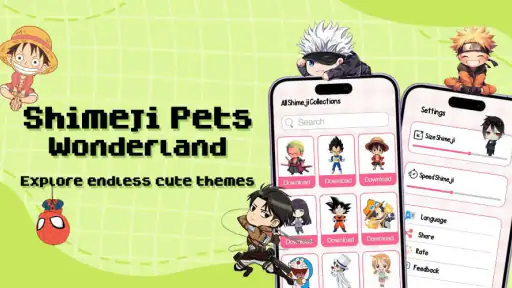
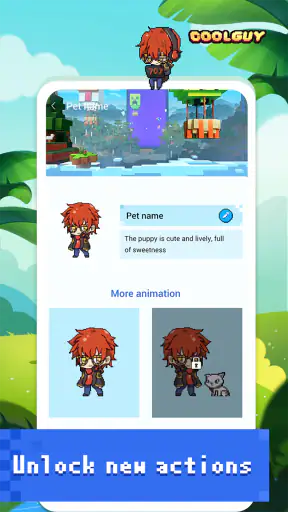
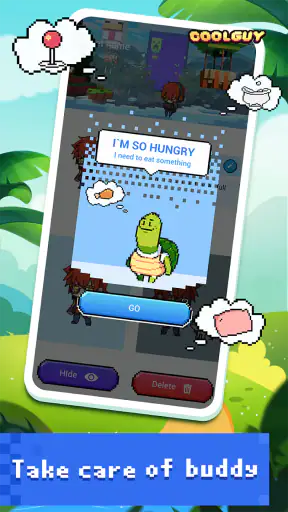
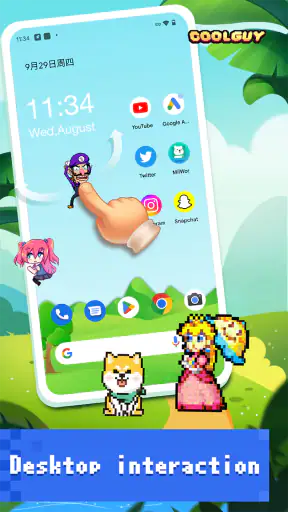
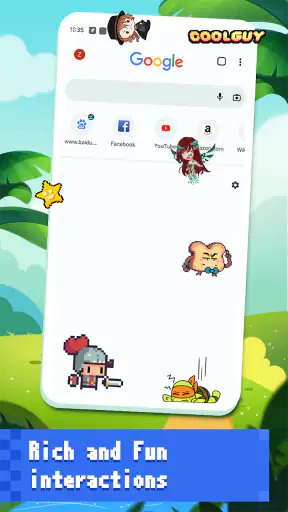
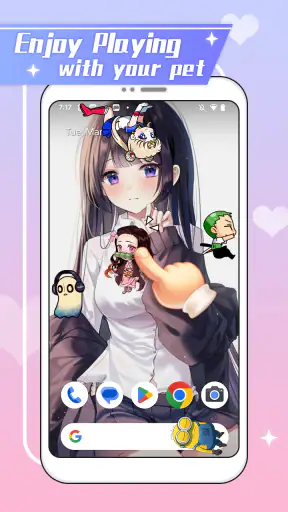
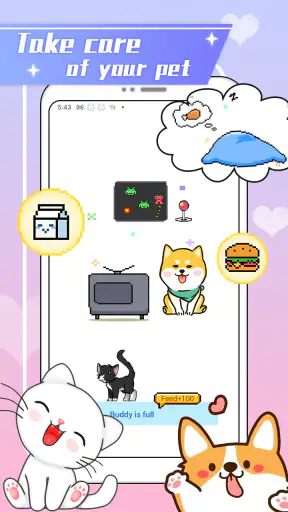
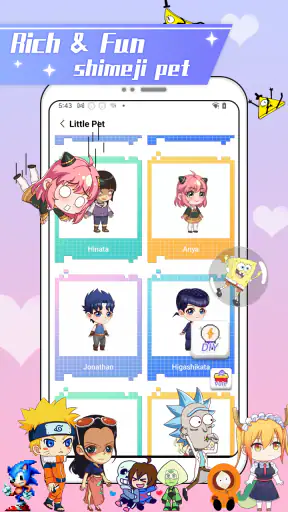
I tried Anime Shimeji Screen Pets as a small personalization app rather than treating it like a conventional game, and that distinction matters. Its appeal is simple: animated anime-style pets appear on the phone screen, move around, and react while I use the device for other things. They are there to make an otherwise ordinary home screen feel more playful, not to replace a full game with levels, objectives, or a long progression system.
That makes it especially interesting on a shared household device. One person can enjoy the characters while browsing, listening to music, or handing the phone to someone else for a quick look. At the same time, a live screen companion changes the phone’s visual atmosphere, so it is worth thinking about who uses the device, when the animation is welcome, and whether everyone sharing it wants the same kind of decoration.
How the pets fit into everyday phone use
The first thing I noticed is that the app works best in the background of ordinary phone activity. The pets are not asking me to stop and play a separate session every few minutes. Instead, they add movement to the screen while I am doing something else. That creates a pleasant little surprise when one appears during a quiet moment, but it also means the experience depends heavily on personal taste.
For me, this is most enjoyable on a personal phone during relaxed use. I can imagine opening a chat, checking a calendar, or waiting for a page to load and seeing the character animation as a small bit of decoration. It gives the device more personality without requiring a new routine. If you prefer a clean, still interface, however, the same behavior may feel distracting rather than charming.
A realistic household example would be a tablet or phone used in the living room. One person might leave it on a table for music or casual browsing, while another family member picks it up later. The animated pet can make that shared device feel friendly, but it can also surprise someone who does not know why a character is moving across the screen. I would explain the app before leaving it active on a device that several people use.
The store summary presents cute pets that run, jump, and interact live on the phone screen, and that captures the basic idea without making it sound like a large game. I would approach it as a decorative companion with playful animation. That expectation keeps the experience satisfying; expecting deep missions, competitive play, or a substantial story would lead to disappointment.
Because the app belongs to the personalization category, its value is subjective in a way that a utility app’s value is not. There is no universal reason everyone needs it. I found it worthwhile when I wanted the phone to feel more expressive, while someone focused on speed, battery discipline, or a minimalist layout may see only an extra layer on top of the interface.
What I would decide before installing it on a shared device
On my own phone, the decision is straightforward: I can try it, keep it if I like the atmosphere, and remove it if the animation becomes tiring. A shared phone or tablet needs a little more coordination. I would ask the regular users whether moving characters are welcome and agree on a sensible time to leave them active. That is not a technical control offered by the app; it is simply a practical household habit.
I would also avoid presenting it as something everyone must use. One person may love anime-inspired companions while another may find them visually busy or too childish. The fairest approach is to treat the app like a wallpaper choice: enjoyable for the person who wants it, but not automatically suitable for every user of the device.
There is another useful boundary: separate entertainment from important tasks. If the device is used for schoolwork, work messages, navigation, or a video call, I would turn my attention to the task and avoid relying on a moving companion as part of that experience. Even a cute animation can compete for attention when the screen already contains a lot of information.
Setup expectations and the limits of shared ownership
The app is free to install, which makes trying it relatively easy. Its content rating is Everyone, so it is positioned for a broad audience rather than a narrowly adult one. That does not mean every household will have the same reaction to the visual style. Parents and other device owners still need to decide whether anime characters fit the age, setting, and purpose of the phone.
One detail I would keep in mind is that the app includes in-app purchases ranging from $4.99 to $49.99 per item. On a personal device, that is a private spending decision. On a shared device, it becomes a household boundary question. I would make sure the person using the phone understands that free installation does not mean every optional item is automatically free, especially if a child can access the device.
I would not hand a shared phone to a young user and assume that the Everyone label settles every practical concern. The label is useful context, but it is not a substitute for supervision, conversation, or the account owner’s normal purchase safeguards. Since the app is designed to be playful and visible, it may attract curiosity from anyone nearby, including people who did not install it.
For a family tablet, I would establish a simple rule before use: the account holder decides about purchases, and anyone who wants to change the visual setup asks first. This avoids the awkward situation where one person enjoys the pets while another returns to the device and wonders why its appearance has changed. The rule is basic, but it matters more than trying to make a shared device feel as though it belongs to only one user.
The developer is NovaSoftLC Labs, and the current version is 1.10. The app supports Android 7.0 and later, which gives it a broad compatibility range for older Android devices. That is useful in a household where the newest phone belongs to one person but a spare or hand-me-down device is used by someone else.
Coordinating the experience without overcomplicating it
My preferred workflow would be to choose one primary device for the pets instead of installing them everywhere in the home. That keeps the novelty focused and reduces the chance that a child, guest, or family member encounters a different visual setup on every phone. A shared tablet can be a good candidate because it is naturally used for casual browsing, while a work phone may be a poor fit.
I would also agree on when the app should be visible. During relaxed evening use, its movement can add warmth to the room. During homework, a serious conversation, or a video call, I would prioritize an uncluttered screen. This is a small but important trade-off: the feature that makes the app fun is also the feature that can become intrusive at the wrong time.
Another tip is to judge it over several ordinary days rather than during the first exciting session. Novelty can make any animated companion seem more entertaining than it feels later. I would notice whether I still enjoy seeing the pets after the initial surprise, whether they distract me from reading, and whether other household users naturally ignore them or complain about them. That observation gives a better answer than an immediate yes or no.
If the device is passed between adults and children, I would explain that the pets are part of the phone’s personalization, not a character someone can necessarily control like a traditional game avatar. That distinction prevents a child from expecting goals, rewards, or a complete interactive world. The app’s strength is its presence on the screen, not a deep gameplay loop.
I would also keep the purchase range in mind when discussing the app with children. A free download can still lead to paid choices, and the highest listed item price is $49.99. I would never assume that a young user understands the difference between installing an app and buying optional content. Clear household permission is more reliable than relying on excitement or guesswork.
Age, trust, and the difference between visible fun and private use
The Everyone rating makes Anime Shimeji Screen Pets easier to consider for a mixed-age household, but trust still depends on the device’s role. A child using a family tablet under normal supervision is a different situation from a child using an adult’s primary phone for unsupervised browsing. The app’s friendly presentation does not remove the need for the owner to know what is installed and how purchases are handled.
I appreciate that the app’s concept is easy to explain. I can show someone the moving characters, tell them that it is a personalization app, and let them decide whether they like the effect. There is no need to invent a complicated reason for its presence. That transparency is useful when several people share a screen and not everyone recognizes anime-style screen companions immediately.
For older children and teenagers, the app may be a harmless way to personalize a device, particularly if they already enjoy anime aesthetics. The more important conversation is about ownership: who decides which characters appear, who can change the setup, and whether optional purchases are allowed. Those questions are more relevant to a shared phone than the simple fact that the app is colorful.
For adults who prefer professional-looking devices, I would be more cautious. The pets can make a personal handset feel lively, but that style may not suit a business meeting, a customer-facing role, or a phone that is regularly shown to clients. In that situation, a static wallpaper, icon pack, or restrained theme would probably be a better alternative.
There is also a difference between a private screen and a public one. On a personal phone, the animated characters express the owner’s taste. On a family tablet in a common room, they become part of the room’s visual environment. I would treat that as shared decoration and ask whether it remains pleasant for people who did not choose it.
Where it stands against ordinary personalization alternatives
The usual alternatives in this category are static wallpapers, icon packs, widgets, and complete themes. Those options generally give me more control over a fixed layout and are easier to ignore once installed. Anime Shimeji Screen Pets takes the opposite approach: its appeal comes from movement and presence, so it feels more like a companion layered onto the phone than a simple visual refresh.
Compared with a static anime wallpaper, this app has more personality because the screen is not frozen. The trade-off is that a still image is calmer, more predictable, and less likely to compete with text or buttons. If my priority is a polished home screen that stays out of the way, I would choose the wallpaper. If I want the phone to feel playful during casual use, the live pets offer something the wallpaper cannot.
Compared with a full theme or launcher customization, the app is narrower but easier to understand. A launcher can reshape icons, folders, gestures, and layouts, while this app focuses on the animated character experience. That narrower purpose is a strength for someone who wants a quick change without redesigning the whole phone, but it is a weakness for anyone seeking complete visual control.
It also differs from a conventional mobile game. A game normally gives me a clear activity to start, goals to pursue, and a reason to return for progress. Here, the entertainment comes from observing the pets while I do other things. I would recommend it to someone who wants ambient interaction, not to someone asking for a new game with substantial content.
A useful decision test is to ask what I want the phone to do when I am not actively touching it. If the answer is “look clean and remain quiet,” a static option is better. If the answer is “feel a little alive and show my interest in anime,” this app has a clearer reason to exist.
Who will enjoy it, and who should skip it
I think it is a good match for anime fans, people who enjoy novelty on their home screen, and households looking for a lighthearted shared-device decoration. It is also suitable for someone who wants personalization without committing to a new game or a full launcher replacement. The free entry point makes it easy to explore before deciding whether the visual style belongs on the phone permanently.
I would skip it if I become irritated by motion, need a highly restrained interface, or use the device mainly for focused work. I would also skip it on a shared phone if the regular users cannot agree about the decoration. A personalization app should make the device more comfortable, not turn every handoff into an argument about whose preference controls the screen.
People who expect extensive customization should keep their expectations measured. The central attraction is the animated pet presence, not a broad productivity system or a deep game structure. Likewise, anyone choosing it for a child should make the purchase boundary explicit and should remain involved in deciding whether the app suits that particular device.
The public response gives it a 4.6 average from around 16K ratings, with more than 1M installs and 286 written reviews. I see those figures as a sign that the concept connects with a sizable audience, but not as proof that every user will enjoy live screen decoration. The experience is personal by design, so the strongest recommendation is still based on whether movement and anime-style companions fit the way the phone is used.
My household verdict
After using it, I see Anime Shimeji Screen Pets as a charming personalization choice with a very specific purpose. It succeeds when I want my phone to feel less static and more expressive, especially during casual use. The pets provide a friendly visual presence without asking me to sit down for a conventional gaming session.
My main reservation is not about the idea itself but about context. On a personal phone, the choice is easy to reverse. On a shared device, the owner needs to coordinate the visual change, explain the purchase boundary, and accept that the animation may not suit every user or every moment. Those small household decisions determine whether the app feels delightful or annoying.
NovaSoftLC Labs has made a focused app rather than an all-purpose customization suite. That focus is exactly why I would recommend it to the right person and avoid recommending it universally. If you want moving anime companions and are comfortable with an active screen, it is worth trying. If you value silence, fixed layouts, or strict visual simplicity, a static wallpaper or conventional theme will serve you better.
My recommendation is simple: use it on a device where the owner genuinely wants playful movement, and set clear expectations before making it part of a shared household screen. In that setting, the app’s free-to-start format, broad Android compatibility, and friendly Everyone rating make it approachable, while its live character design gives it a personality that ordinary wallpapers cannot match.


